Setup & Activation Guide SMART STB offers a 7-day free trial when you first install it. After the trial period, you need to make a one-time payment of €27 for permanent activation. If you activate the app once the 7-day trial has expired, a new activation code will be created, and you will have to pay immediately. You won’t have access to the free trial again. You can complete the activation through the official SMART STB developer portal. In this step-by-step guide, you will learn how to install and set up your IPTV subscription on SMART STB quickly and easily. Just follow the instructions below to start watching IPTV on your device.
Get Smart STB from your smart TV’s app store.
Restart the app. While it’s loading, hit OK on your remote to get to the main menu.
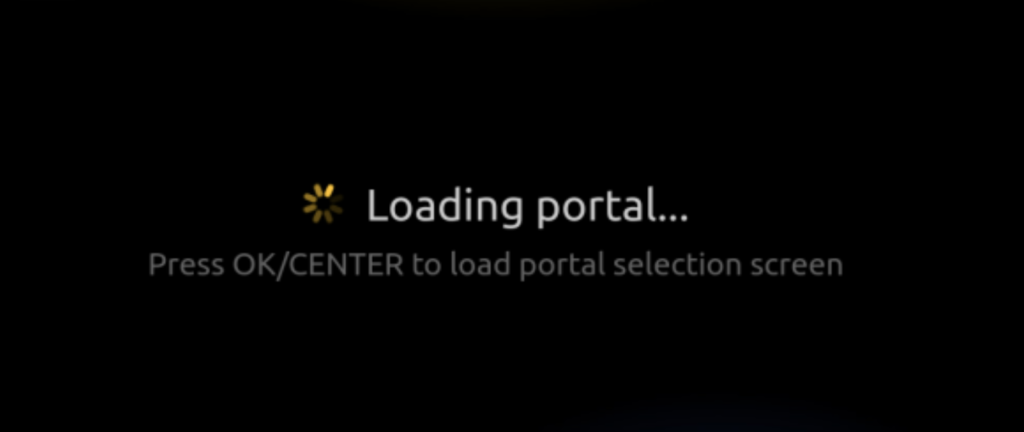
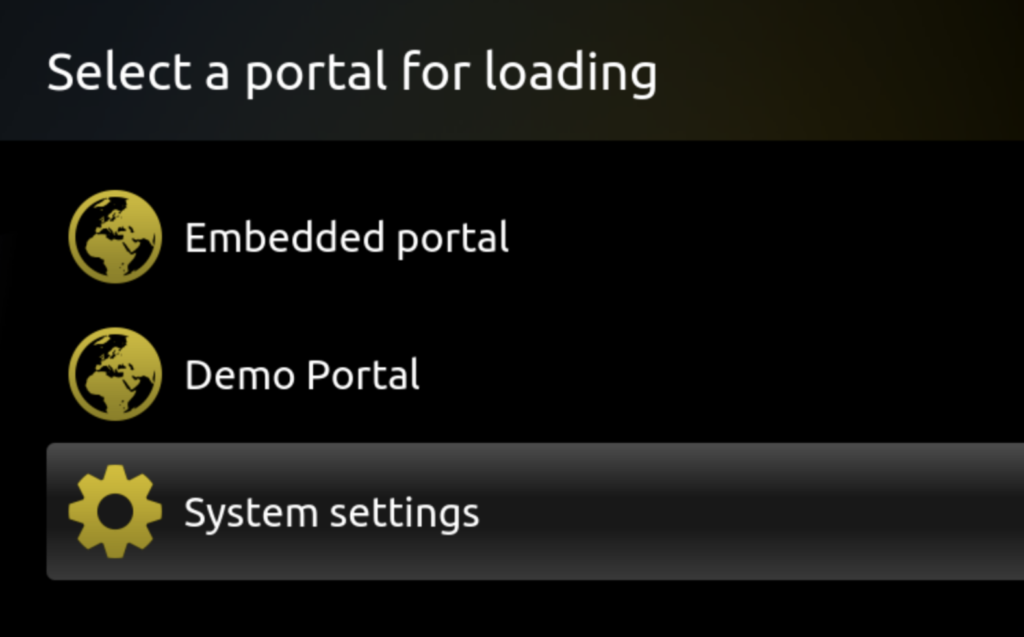
Select System Settings.
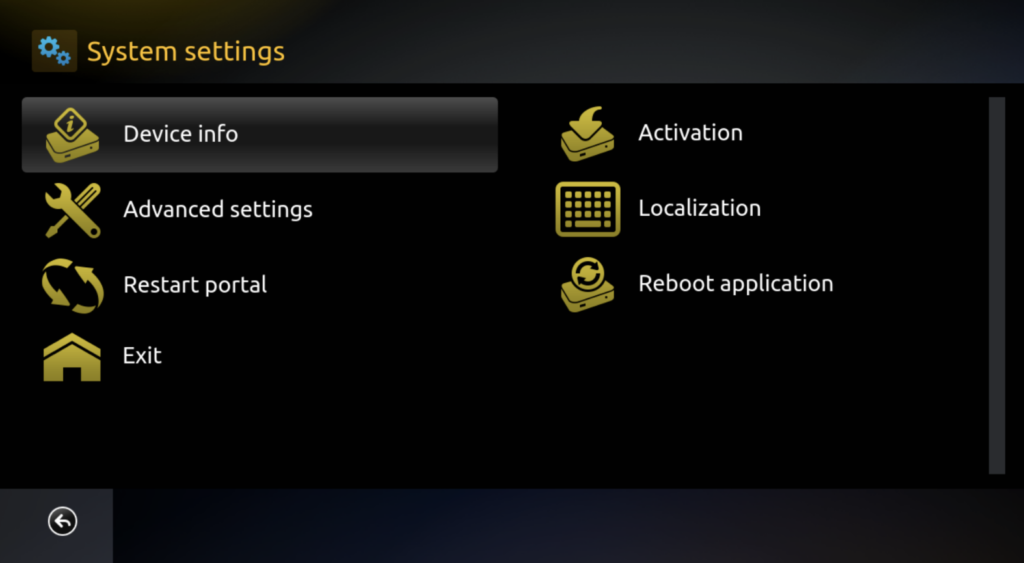
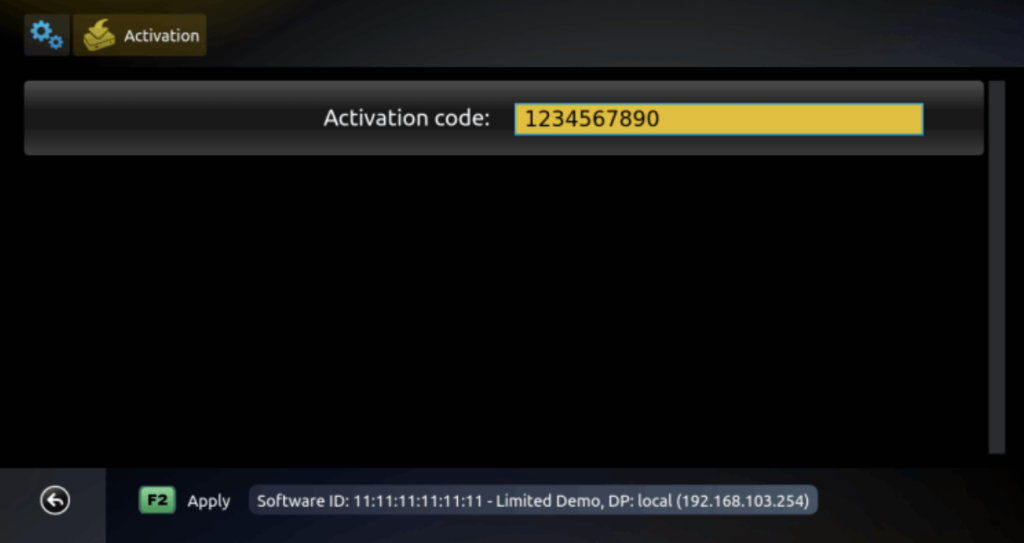
In System Settings, select Activation.
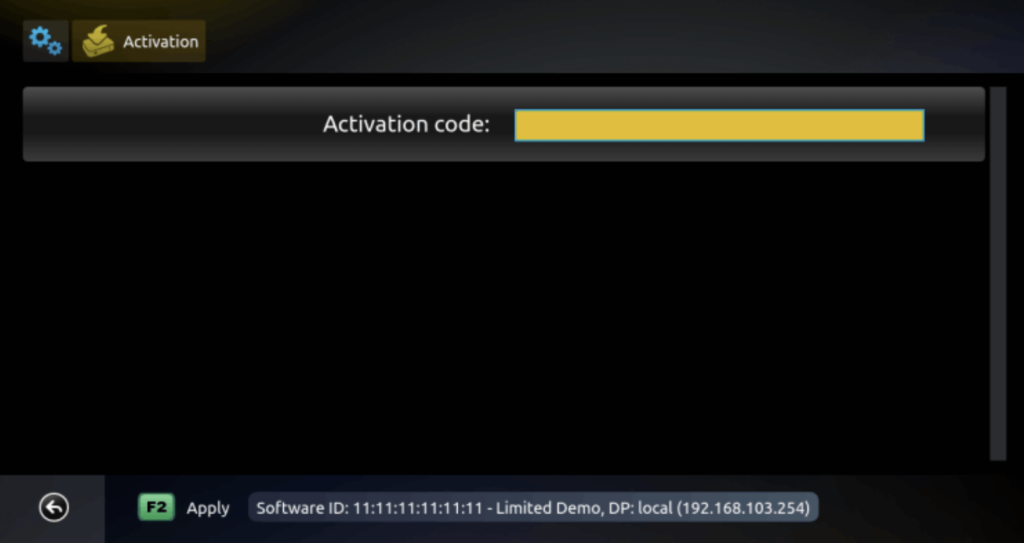
Okay, stay right here. Grab your phone, tablet, or computer and go to the SMART STB activation
website: https://billing.smart-stb.net/cart.php
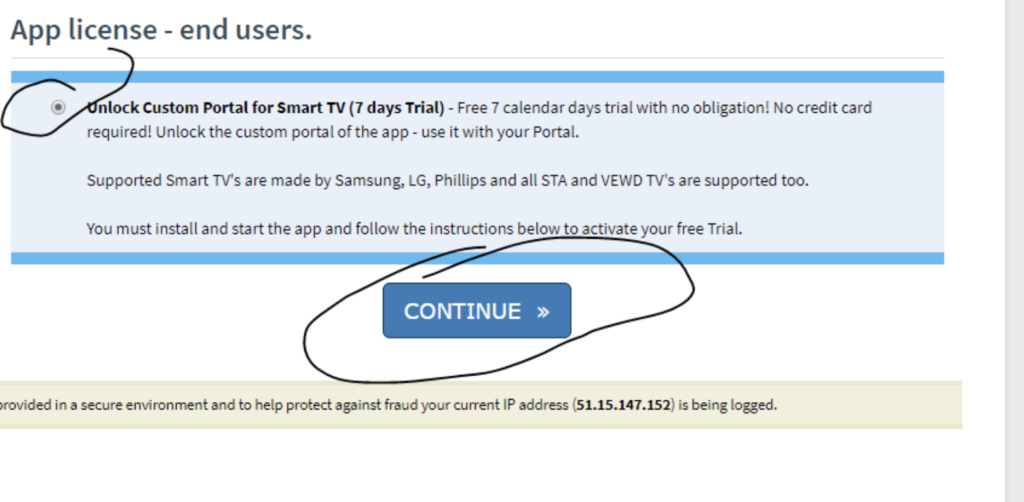
On the SMART STB site, pick Unlock Custom Portal for Smart TV (7-Day Trial), then go to the next step.
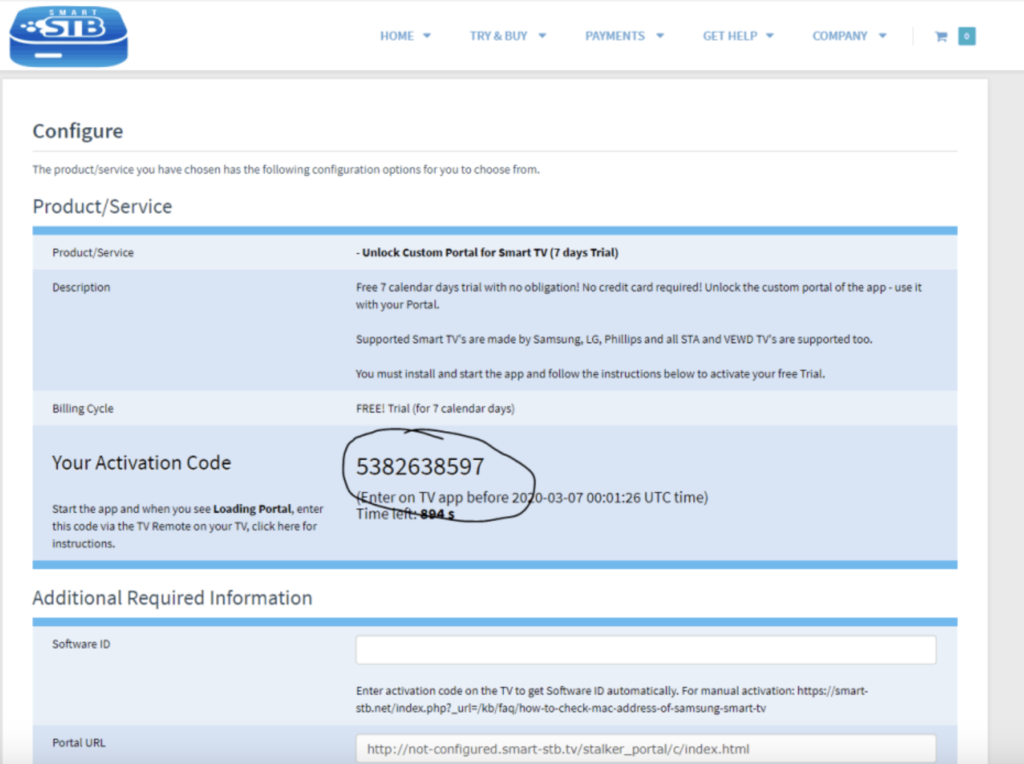
Okay, you’ll be sent to a page with your code.
Write that code down and don’t close the page! Keep it open.
Enter the activation code directly in your Smart STB application, then confirm to continue.
Next, return to the previous website page. A new page will load automatically, where you will be asked to enter your personal information to create your account and activate the 7-day free trial of the Smart STB application.
Make sure to keep your login details safe. During the 7-day trial period, if you decide to purchase the app, simply log back into the Smart STB website:
https://billing.smart-stb.net/cart.php
The lifetime activation fee is €27.
Please note that if you wait until after the 7-day trial expires, you will receive a new activation code, which will no longer include the free trial and will require immediate payment.
Okay, here’s how to do it on the Smart STB website:
Just stay on the Smart STB page and click these things in this order:
Home My Account Services That’s where you can handle your Smart STB stuff, see what you have, and get it all set up.
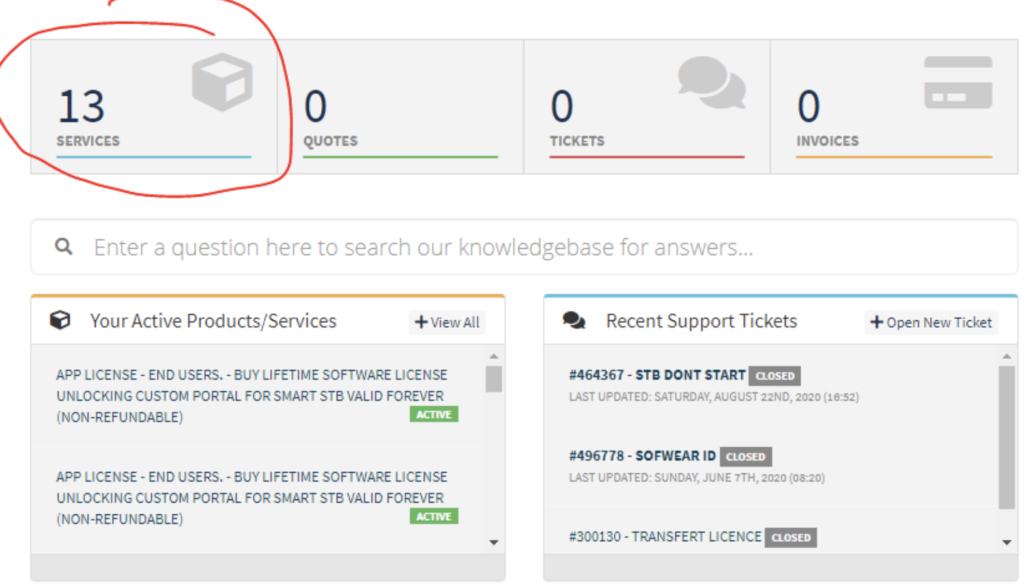
Access Your Smart STB Product License
You will be redirected to your Product List, where your Smart STB license is displayed. This license may appear as active or in testing mode.
Simply click on the listed STB license to continue with the configuration or management process.
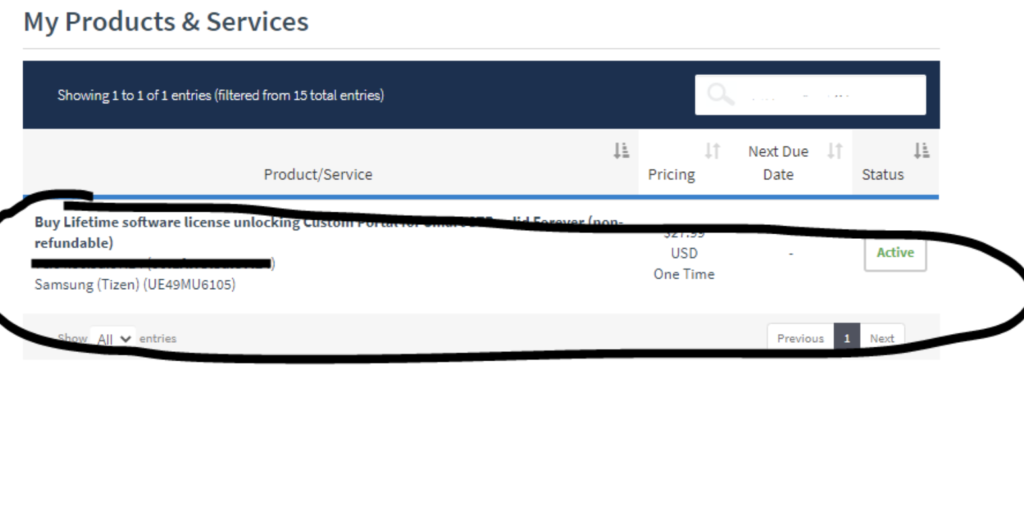
go to change protal url
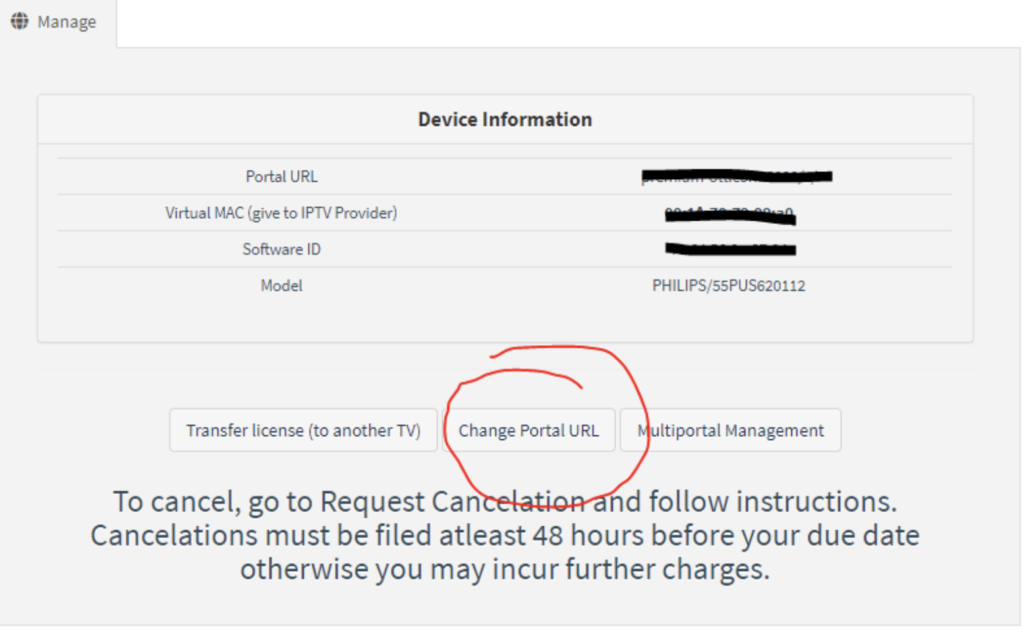
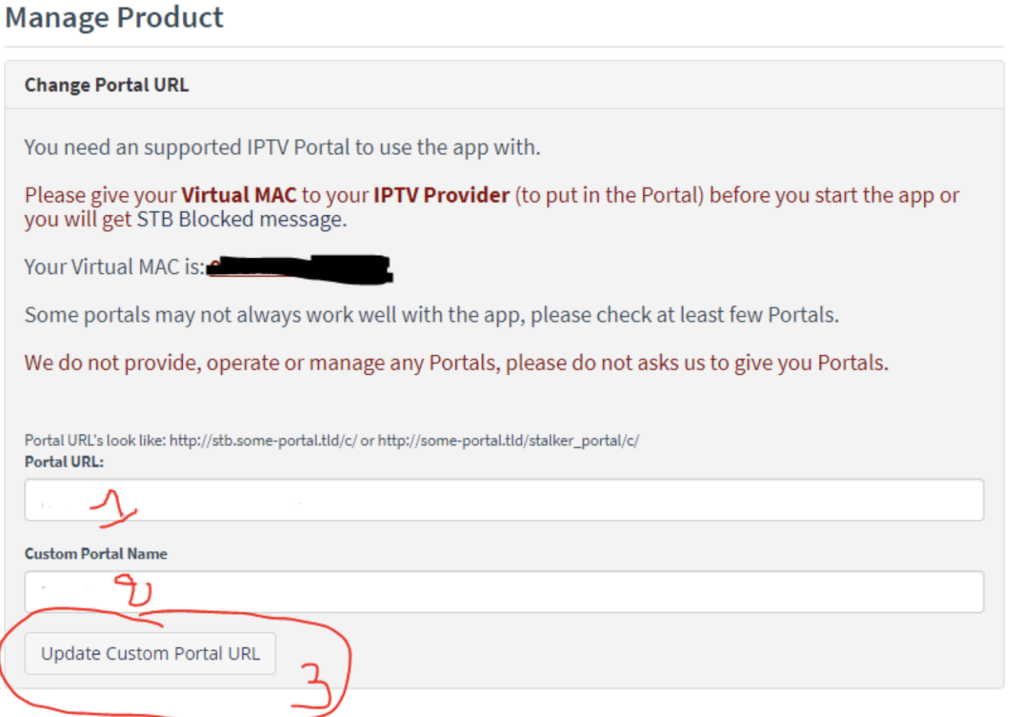
Setting Up Smart STB with a Virtual MAC Address First
get your Virtual MAC address and give it to your IPTV provider.
They’ll then give you a Custom Portal URL, which you’ll enter in
Step 1 below. Next, in
Step 2, just type in any name you want. This is just so you can tell your services apart, mostly if you’re using more than one on the same device. After that, hit Update Custom Portal URL to save everything. Last thing: Restart Smart STB If your IPTV provider has hooked up your subscription to the MAC address you sent, just restart your Smart TV and open the Smart STB app again. Your IPTV channels should pop up automatically, and you can start watching right away.
Buy Your SMART STB IPTV Subscription Now
Now is the perfect time to get your SMART STB IPTV subscription and enjoy thousands of live TV channels, movies, and series in high quality.
👉 Order your IPTV subscription here:
🔗 https://subscription-iptv.us/