KODI IPTV is a free application that gives you access to your live IPTV subscription, including movies and series.
It is compatible with various devices such as Android boxes, phones, and tablets.
KODI is one of the best IPTV applications for Android boxes, computers, and many other devices.
This guide explains how to configure it.
How to configure PVR IPTV Simple Client on KODI Krypton 17
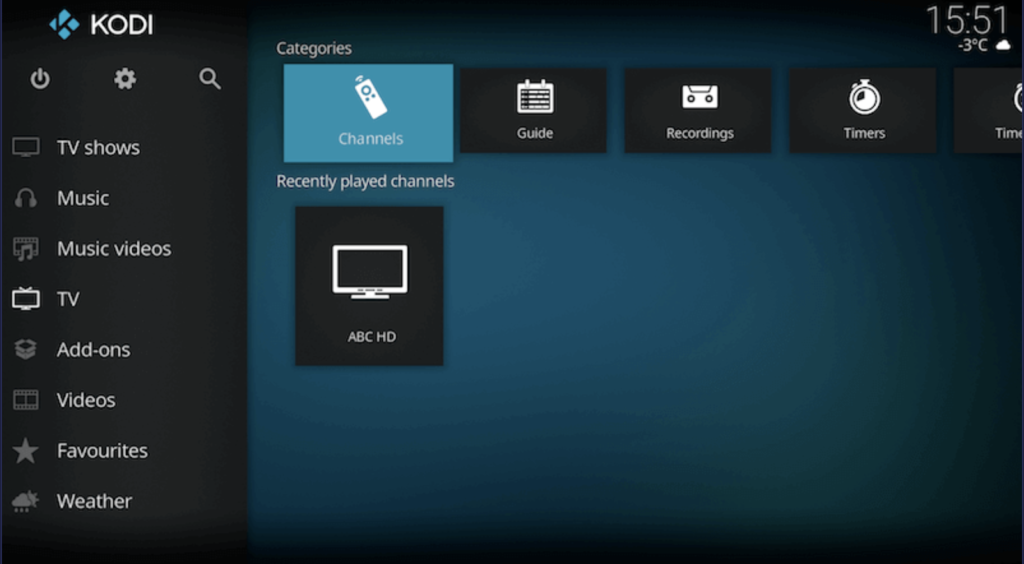
Select Tv
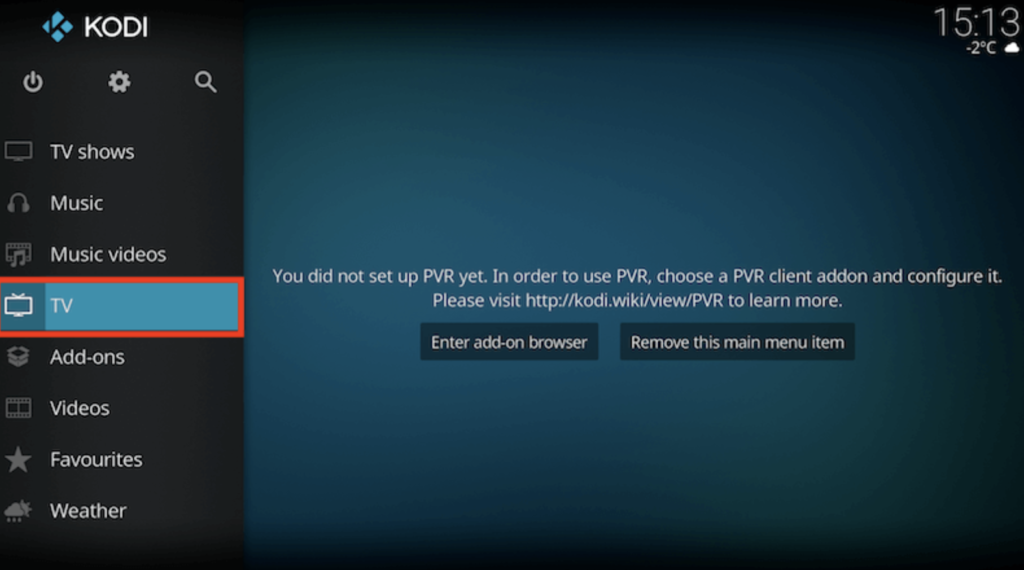
Click on Add-on Browser.
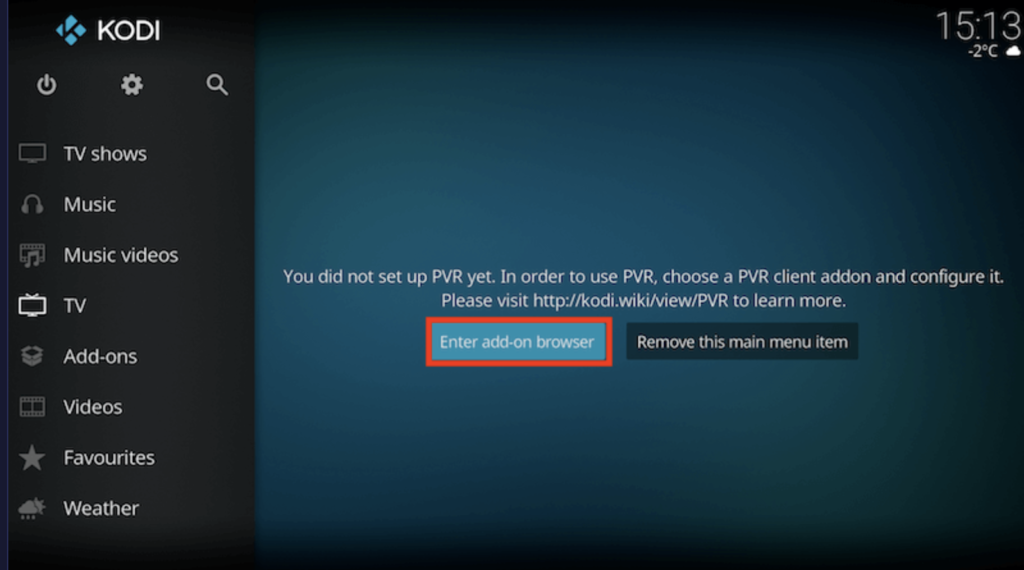
Select PVR IPTV Simple Client.
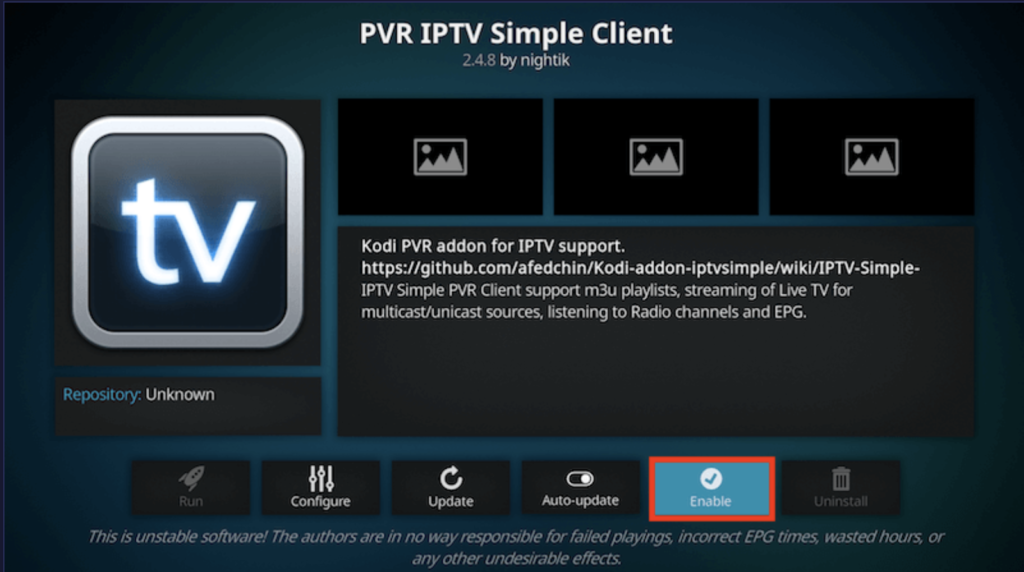
Click Now
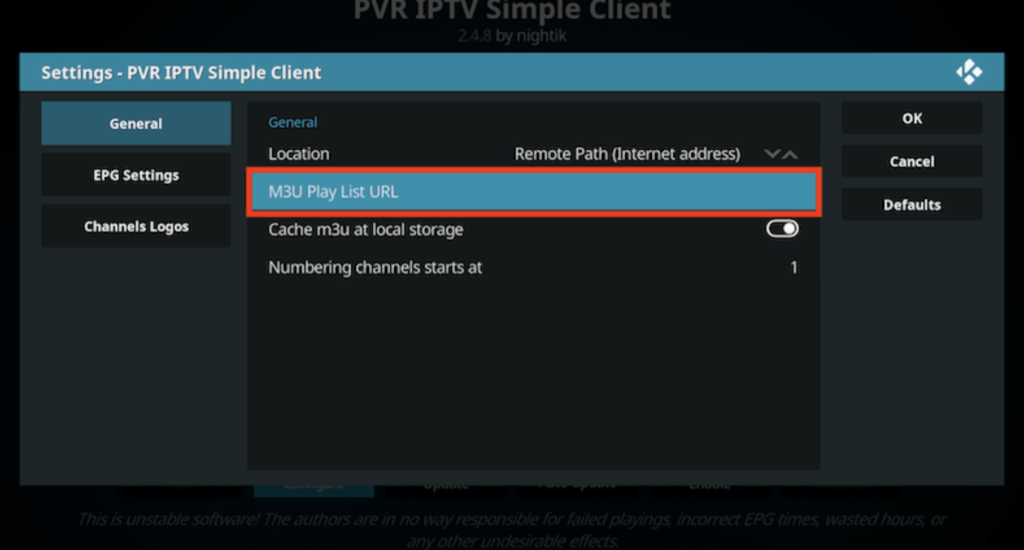
Next, select the M3U playlist URL.
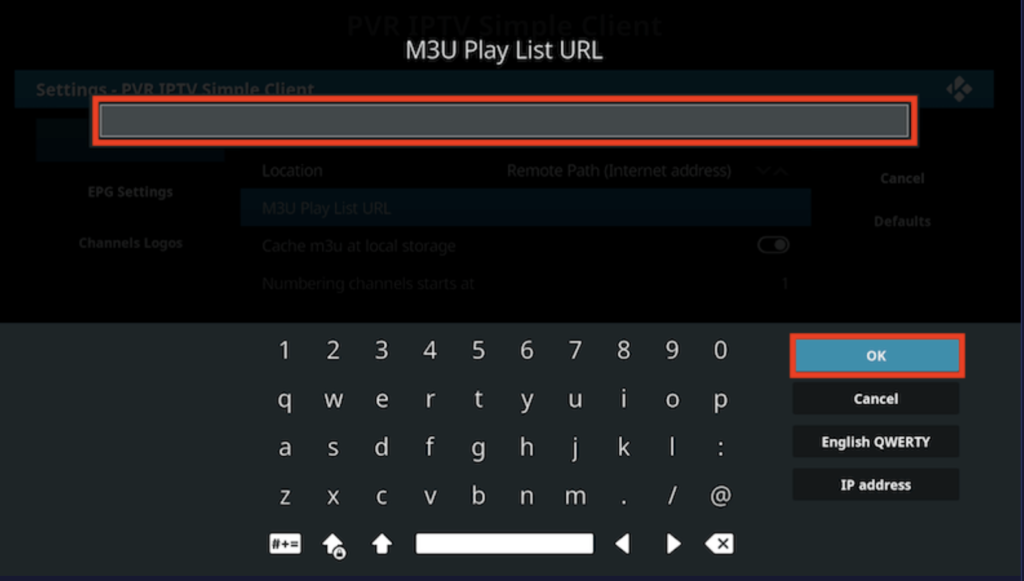
Enter your M3U URL, then click OK to save your playlist.
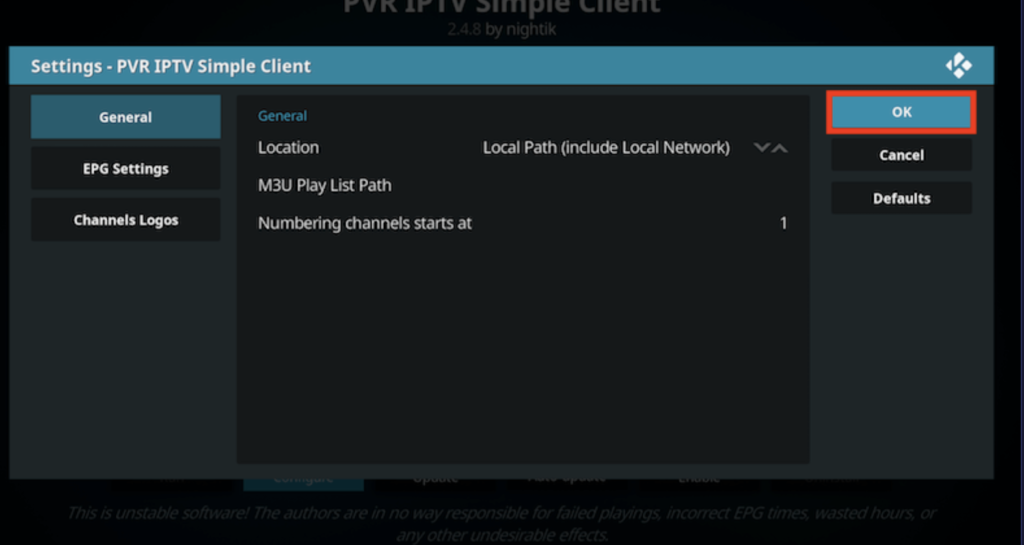
Click OK and enjoy the live channels!
Now is the perfect time to purchase an IPTV subscription for KODI IPTV — order here: https://subscription-iptv.us/